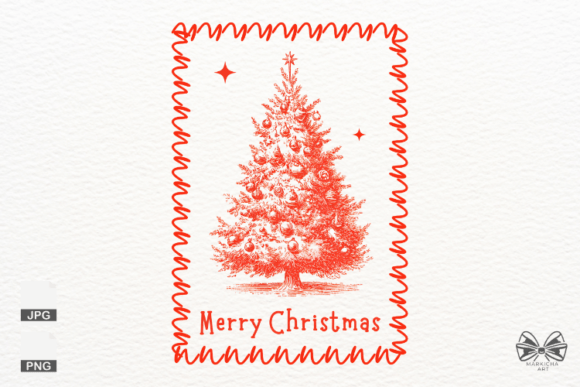
Mastering the Vintage Santa Christmas Frame PNG for Professional Holiday Designs
The holiday season brings a surge of creativity, and nothing captures the nostalgic spirit quite like a Vintage Santa Christmas Frame PNG. Whether you are a small business owner launching a seasonal product line, a crafter making personalized gifts, or a digital artist designing social media graphics, these assets are invaluable. However, the ease of downloading a file often leads creators to overlook critical technical details that can make or break the final quality of their work. To truly unleash your creativity with high-quality clipart, it is essential to move beyond simply finding an image and understand how to evaluate, apply, and optimize it for professional results.
A Vintage Santa Christmas Frame PNG is more than just a picture of Saint Nicholas; it is a functional design element intended to surround text, photos, or other graphics while maintaining a transparent background. The appeal lies in the blend of classic aesthetics—think muted reds, creamy whites, and hand-drawn textures—with modern usability. When used correctly, these frames elevate stickers, T-shirts, greeting cards, and sublimation prints from amateur to artisanal. Yet, many users stumble not because the asset is poor, but because they misunderstand the specifications required for different applications.
Common Pitfalls in Resolution and Print Quality
One of the most frequent mistakes creators make is ignoring resolution requirements until it is too late. You might find a Vintage Santa Christmas Frame PNG that looks crisp on your smartphone screen, only to discover it appears pixelated and blurry when printed on a mug or T-shirt. This happens because screen display relies on pixels per inch (PPI) at low densities, whereas professional printing demands high density, typically 300 DPI (dots per inch).
If you attempt to stretch a low-resolution image to fit a larger canvas, the software must invent pixels, resulting in a loss of sharpness and detail. For a vintage style, which often relies on fine lines and subtle texture to convey age and warmth, this degradation is particularly damaging. The solution is proactive verification. Before downloading or purchasing, always check the file dimensions. A robust file should be at least 3600×3600 px. This size ensures that even if you need to scale the frame down for a sticker or up for a poster, the integrity of the lines remains intact. Never assume a web-sized image will work for physical products; the cost of reprinting materials far exceeds the effort of sourcing the right file initially.
The Critical Importance of True Transparency
Another area where beginners often face frustration is the background quality. The term "PNG" implies transparency, but not all PNGs are created equal. Some files come with a white or off-white background that has been saved as a PNG rather than a JPG, tricking the user into thinking it is ready to layer. When you place this over a colored background or a dark T-shirt, an unsightly white box appears around your vintage Santa, ruining the seamless look.
To avoid this, open the file in your design software immediately upon download. Toggle the visibility of your background layer to see if the frame floats freely or sits on a solid block of color. High-quality bundles, like those offering instant downloads for commercial use, prioritize transparent backgrounds specifically to make layering easy. If you encounter a file with a white background, do not try to work around it by using blending modes, as this rarely yields clean edges. Instead, seek out resources that explicitly guarantee alpha-channel transparency. This small check saves hours of manual editing and ensures your sublimation prints and digital planners look polished.
File Format Compatibility and Workflow Efficiency
While PNG is the gold standard for images with transparency, relying solely on one format can limit your workflow flexibility. Many comprehensive clipart packs include both PNG and JPG formats. Understanding when to use each is key to efficiency. Use the PNG version for any project requiring layering, such as placing the frame over a photograph in a scrapbook or adding text inside the border for a greeting card. The JPG version, which lacks transparency but often has a smaller file size, is excellent for full-background textures or situations where you do not need to layer elements.
A common misunderstanding is that JPGs cannot be used professionally. In reality, if you are creating a design where the vintage frame fills the entire canvas without needing to sit on top of another image, a high-resolution 300 DPI JPG is perfectly suitable and compatible with all major design software. However, for versatility, always prioritize bundles that offer the PNG format as the primary asset. This allows you to resize and edit effortlessly for endless design possibilities, from digital stickers to large-format banners.
Maximizing Versatility Across Different Projects
When integrating a Vintage Santa Christmas Frame PNG into your projects, consider the end-use case early in the process. For sublimation prints, color accuracy is paramount. Vintage palettes often feature desaturated tones; ensure your monitor is calibrated so the reds do not appear neon and the creams do not look yellow. For T-shirts and apparel, remember that the fabric color affects the final look. A frame designed with light details might disappear on a black garment unless you adjust the contrast or add a backing layer.
Digital planners and social media graphics offer more forgiveness regarding resolution but demand attention to composition. Do not simply drop the frame onto the page; treat it as an architectural element. Balance the weight of the vintage illustrations with your typography. If the Santa illustration is detailed and heavy on one side, offset it with bold text on the other. This creates a harmonious design that feels intentional rather than cluttered.
Checklist Before You Download or Buy
To ensure satisfaction and avoid wasted time, run through this quick evaluation before committing to a clipart bundle:
- Verify Dimensions: Confirm the file is at least 3600×3600 px to handle scaling without quality loss.
- Check DPI: Ensure the metadata states 300 DPI for print-ready capabilities.
- Test Transparency: Open the file to guarantee there is no hidden white background.
- Review Licensing: If you are a small business owner, confirm the license allows for commercial use on physical goods like mugs and shirts.
- Assess Style Consistency: Make sure the vintage aesthetic matches your brand's existing holiday collection.
By paying attention to these details, you transform a simple download into a powerful tool for your creative arsenal. Whether you are designing for fun or profit, the right Vintage Santa Christmas Frame PNG provides the structure and charm needed to make your holiday projects stand out. Focus on quality, verify your technical specs, and let your creativity flow with confidence.